
Solutions · Catalyst Sentinel
Catalyst Sentinel
The security and recovery layer we run on every WordPress site we manage — including this one.
Our own WordPress integrity and defacement monitor. It captures a known-good baseline of your site — approved admins, active plugins and theme, high-risk file hashes, and the rendered output of your critical pages — then watches for anything that changes without permission.
It was built to answer one question honestly: did something on your site just change that shouldn’t have — and can we get you back to normal fast if it did?
A closer look
01 · Dashboard
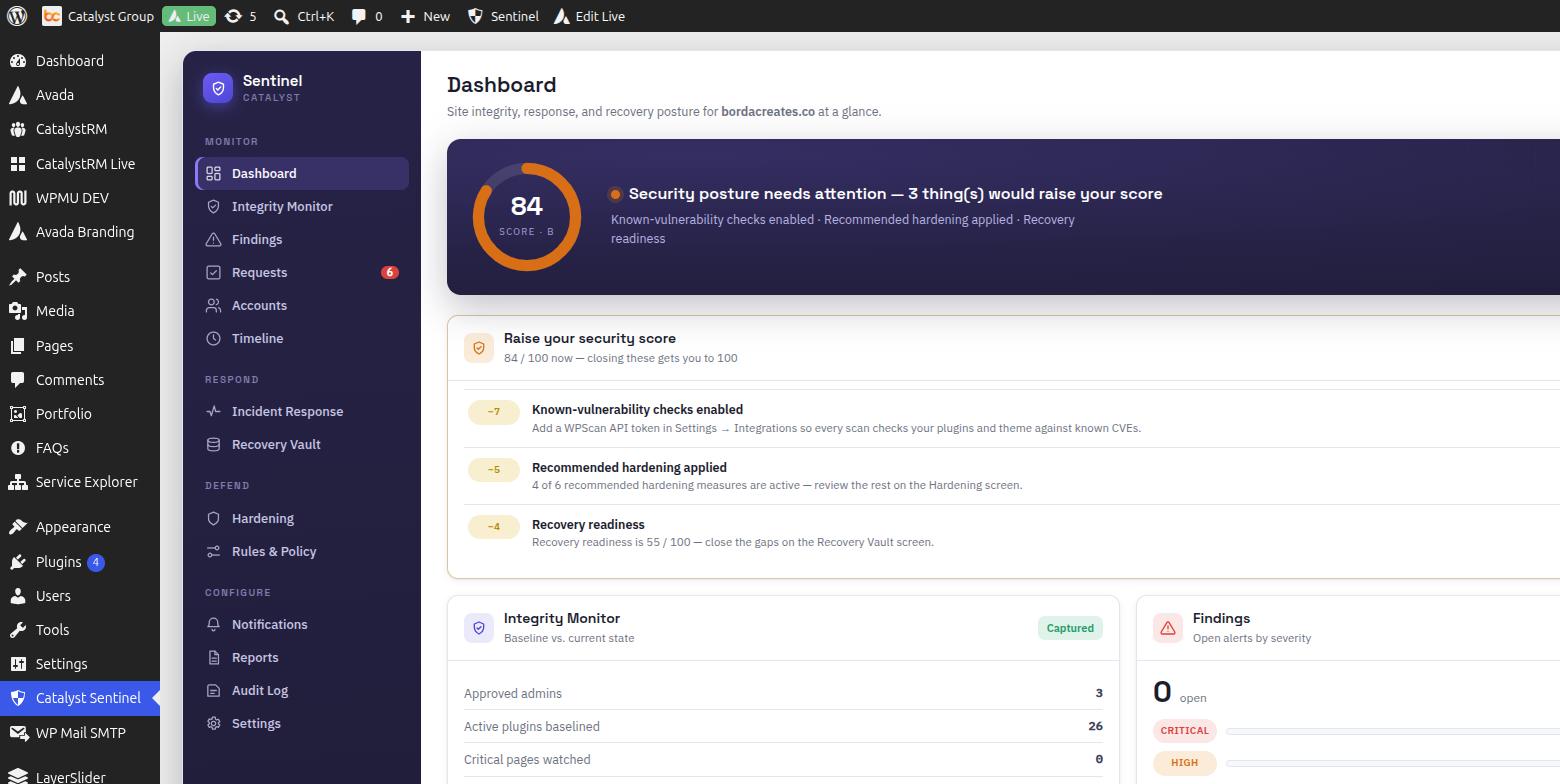
One score for your whole security posture.
See exactly what’s pulling your score down, and fix each item with one click. No vague “you might be at risk” messaging — a concrete checklist, in order of what actually matters.
02 · Hardening
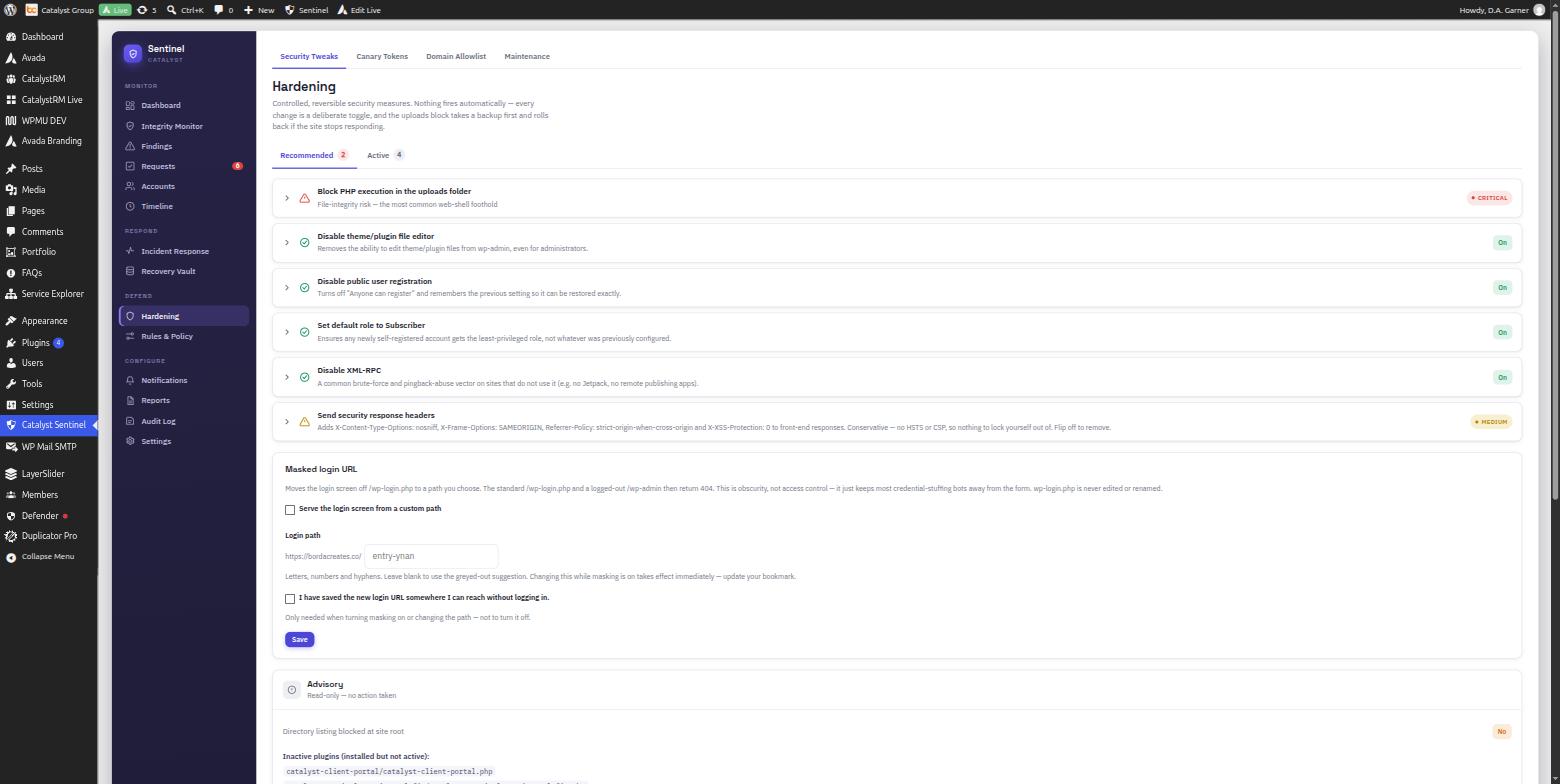
Controlled, reversible security measures.
Toggle real protections on and off — file editor lockdown, XML-RPC, public registration, PHP execution in uploads. Nothing fires automatically, and every change can be switched straight back.
03 · Recovery Vault
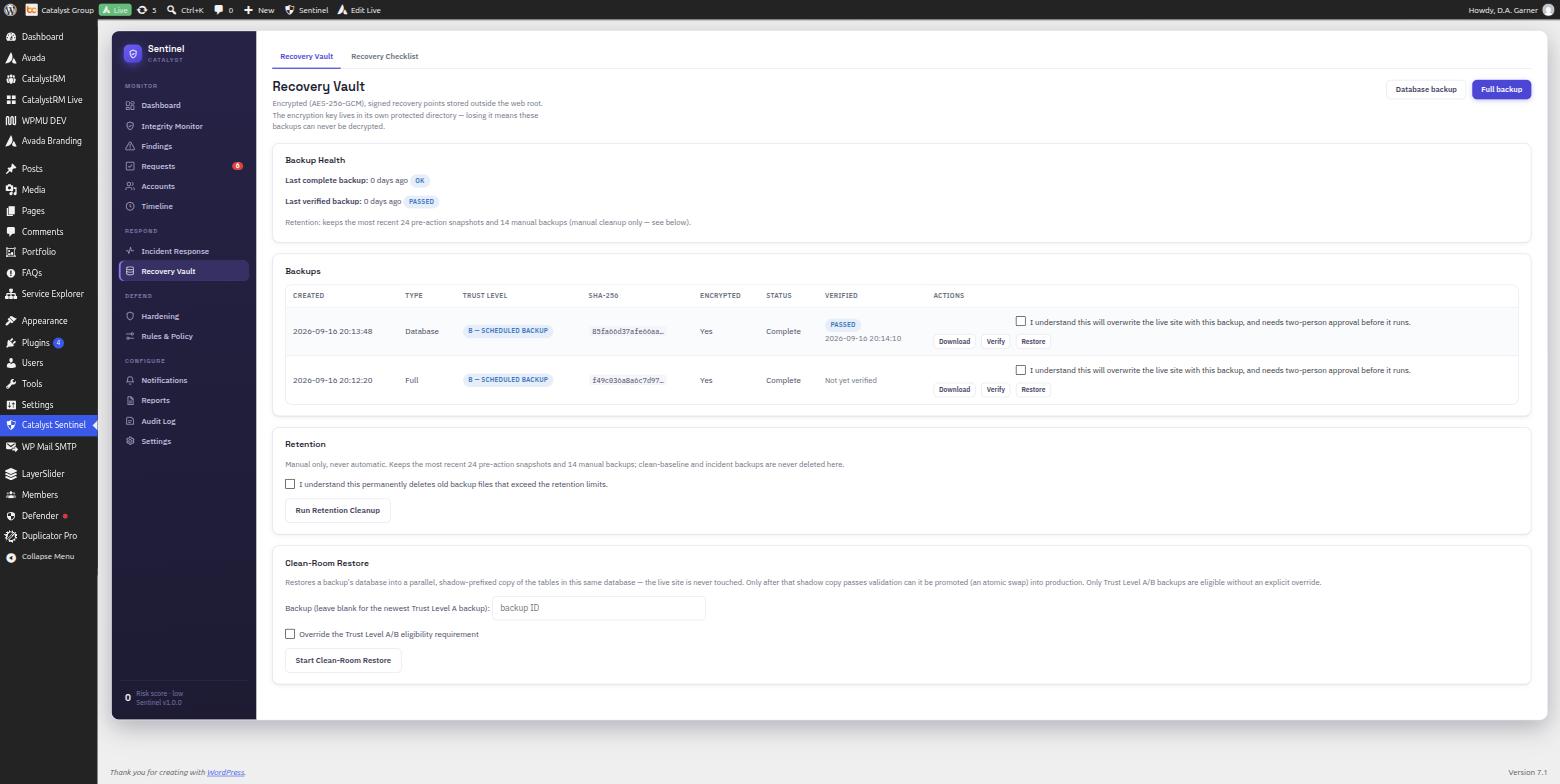
Backups verified before we’d ever trust one.
Every backup gets a SHA-256 hash and AES-256 encryption, and a real “Verify” step that proves it actually restores clean — not just that a file exists somewhere.
04 · Integrity Monitor
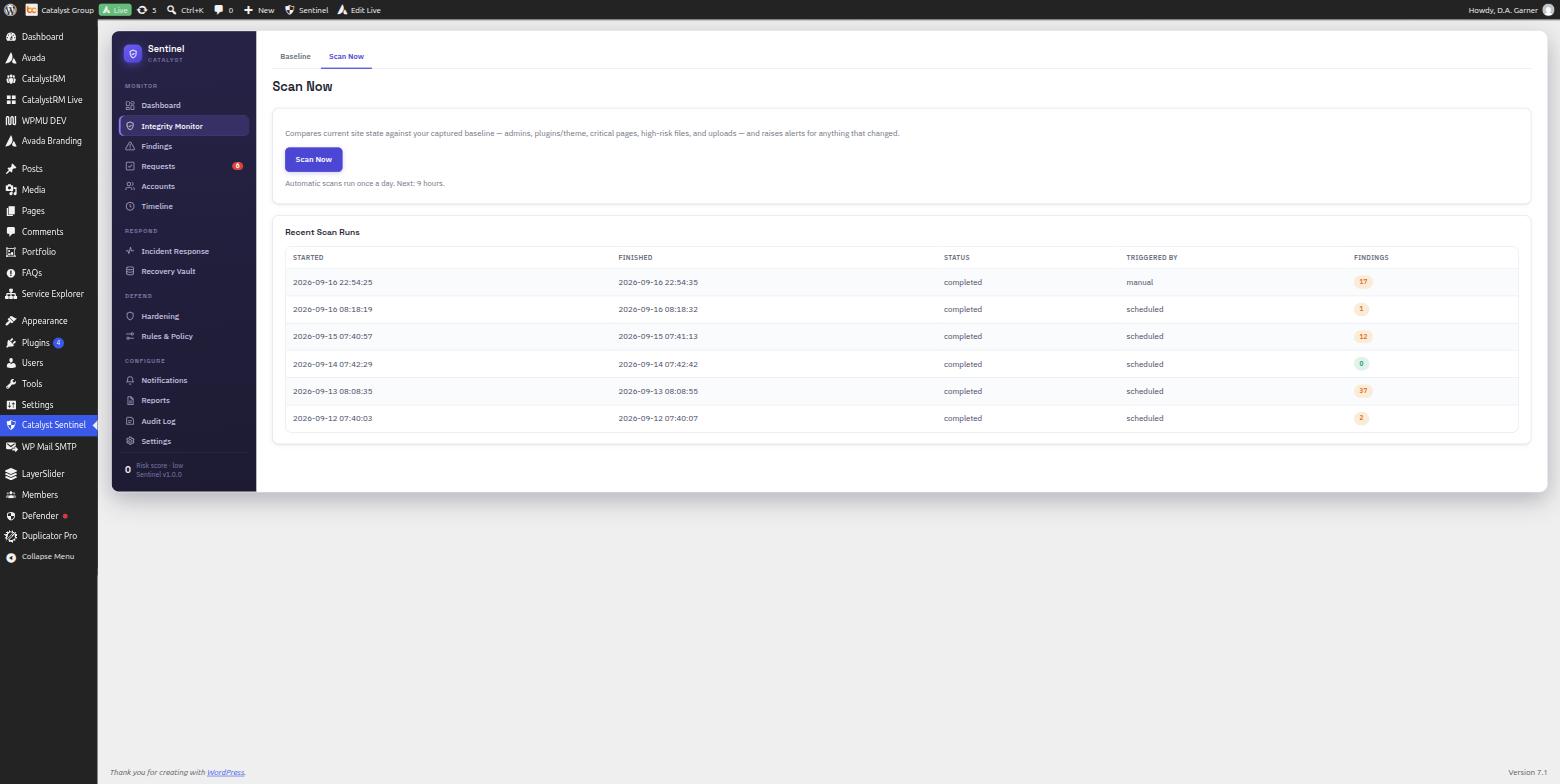
Know exactly what changed.
A known-good baseline of your approved admins, active plugins, theme, and critical files — one place to see what drifted from it, and decide whether that was actually you.
What it catches
- Defaced pages and injected content — even when the files look untouched
- Hidden spam links and SEO poisoning in page output
- New or elevated administrator accounts you didn’t create
- Plugins or themes activated, swapped, or modified off-baseline
- Changes to
wp-config.php,.htaccess, and other high-risk files - PHP files appearing where they shouldn’t, like the uploads folder
What’s included
- Continuous drift detection — a known-good snapshot of your admins, plugins, theme, and core files, checked automatically, plus page-content scanning that catches defacement and hidden spam links a normal backup plugin would never notice.
- A single security score — one number for your whole posture, with a plain checklist of exactly what’s pulling it down and a one-click fix for each item.
- Plain-language alerts, sorted by what matters — every finding gets a severity and a category, tracked on a cleanup board so nothing quietly falls through the cracks.
- One-click lockdown — if something looks wrong, disable the file editor, force every admin to log back in, and block PHP files hiding in uploads, in seconds, without touching anything else.
- Passkey-protected sensitive actions — WebAuthn step-up on the settings and roles screens where real damage happens, so a stolen password alone isn’t enough.
- Quarantine, never delete — suspicious files are moved out of harm’s way, not destroyed, so nothing is ever lost to a false alarm.
- Guided recovery — a step-by-step cleanup checklist built for the specific incident, not a generic “reinstall WordPress” article.
- Two-person approval on the risky stuff — deleting a page, a user, or a batch of media can require a second set of eyes, with a full log of who did what and a one-click undo.
- Backups verified before they’re trusted — test-restored into an isolated copy of your database before we’d recommend using one, so a recovery is proven safe first.
- A break-glass way back in — a separate emergency admin identity that never uses a normal password, for the case where every other login is compromised.
- Built for managing many sites, not just one — save a security policy once and apply it across every client site we watch, instead of configuring each one by hand.
How it works
Baseline
On day one it records a known-good snapshot: approved admins, active plugins and theme, high-risk file hashes, and the rendered HTML of your critical pages.
Watch
It re-checks on a schedule and flags anything that has drifted from that baseline — with a severity, a category, and a spot on the cleanup board.
Recover
Quarantine instead of delete, backups proven safe before use, and a break-glass admin to get back in when every other login is gone.
Want this watching your site?